Przejdź do głównej zawartości

Angular2 + Moment.js library with Visual Studio 2017 .Net Core 2.0

Hey there!
Recently I was facing problem with adding MomentJs library to Angular2 in .net core 2.0 project.
 I'm using Visual Studio 2017 15.3.3.
 (https://www.visualstudio.com/pl/thank-you-downloading-visual-studio/?sku=Community&rel=15)


  1. Create new test project


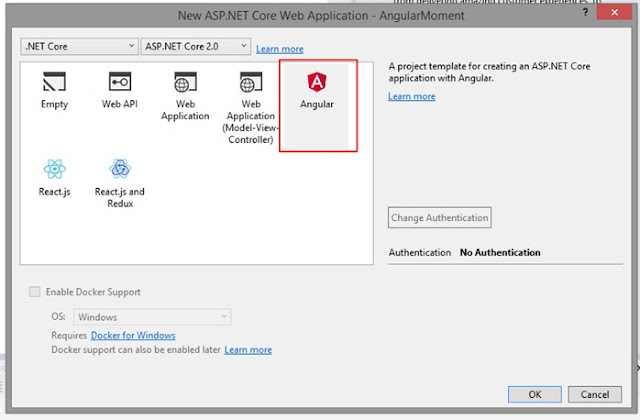
2. Use Web -> Angular template 
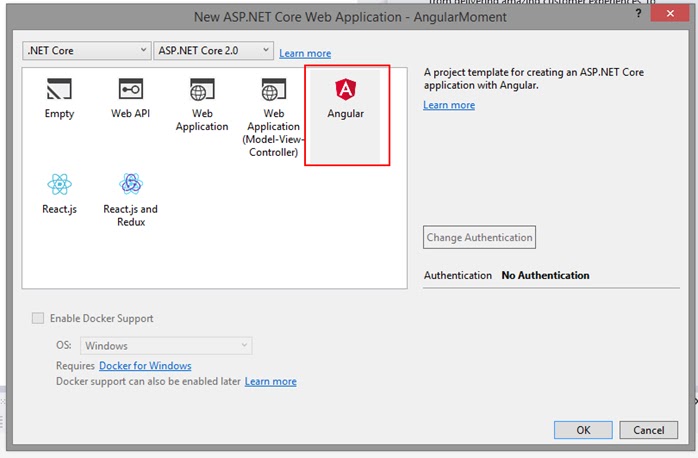
3. Compile and run in chrome to check that everything is ok. 

4. Edit package.json. At the end of "dependencies" add new line: 
"moment": "2.18.1"


5. Edit tsconfig.json file,
At "compilerOptions" add: "allowSyntheticDefaultImports": true,


6. Edit home.component.ts and add:

import * as moment from 'moment';

and the constructor.
    constructor() {
        try {
            console.log("test");
            let now = moment().format('LLLL');
            console.log(now);
        } catch (e) {
            console.log(e);
        }
    }

set breakpoints


and enjoy Moment library! 


Komentarze

Popularne posty z tego bloga

NetBeans and Trackpoint problem...

Netbeans doesn't allow (for some reasons) using native trackpoint + third blue button for scrolling through code view listing :/ that's annoying if You're not using mouse wheel ... I have Lenovo X200 and that was big problem for me... here is solution: open C:\Program Files\Lenovo\TrackPoint find tp4table.dat an edit it in Notepad++, add these lines, between similar lines: ; NetBeans support *,*,netbeans.exe,*,*,*,WheelStd,0,9 save the file, restart computer and voila... now Netbeans supports scrolling with Lenevo's trackpoint... tested with Netbeans 7.01 on win7 and default lenovo's trackpoint drivers

X Mapper 1.0 - Tool for mapping X Panel Button

I've made an application that allows simple mapping / binding exe files to X Panel Button (via editing registry file, SOFTWARE\\SonyEricsson\\PanelManager) I think that using my X Mapper is faster and easier then manual editing registry... Instruction: 1. if it's first time do Backup of registry entry and panelmanager.lnk in StartUp folder! a) (go to Menu->Backup->Save) b) (Menu->panelmanager.lnk->beckup before delete) 2. then we have to delete panelmanager.lnk from our StartUp folder (Menu->panelmanager.lnk->try to delete) 3. Choose one from available Events: - Run Program (allows to run program) - Run Program with Argument (allows to run any other application but with additional argument (uses my RWA app, see my signature) - Toggle WiFi (changes state of Wifi Adapter, uses external exe) - Toggle BT (changes state of BT Adapter, uses external exe) - Lock (devicelock.exe is executed) 4. if Run Program / Run Program with Argument is selected then press: "C...